이 글은 How to fetch data in React을 읽고 요약한 글입니다. 팁이라고 할만한 내용이 많지 않아서 클래스 컴포넌트로 작성된 내용을 함수 컴포넌트로 바꾸는 정도로만 정리해 봤습니다.
리액트에서 널리 사용되는 HTTP 클라이언트 라이브러리에서 제공하는 hook을 사용하는 것이 더 일반적인 것 같지만, fetch나 axios를 사용한다면 useEffect를 활용해서 데이터를 가져올 수 있다. 초기 렌더링 후 시점에만 데이터를 요청하도록 의존성 배열을 비워둔다.
공통 부모에서 가져오기
데이터에 관심을 가지는 여러 컴포넌트가 있다고 가정했을 때 공통 부모 컴포넌트에서 가져오는 방식이다.
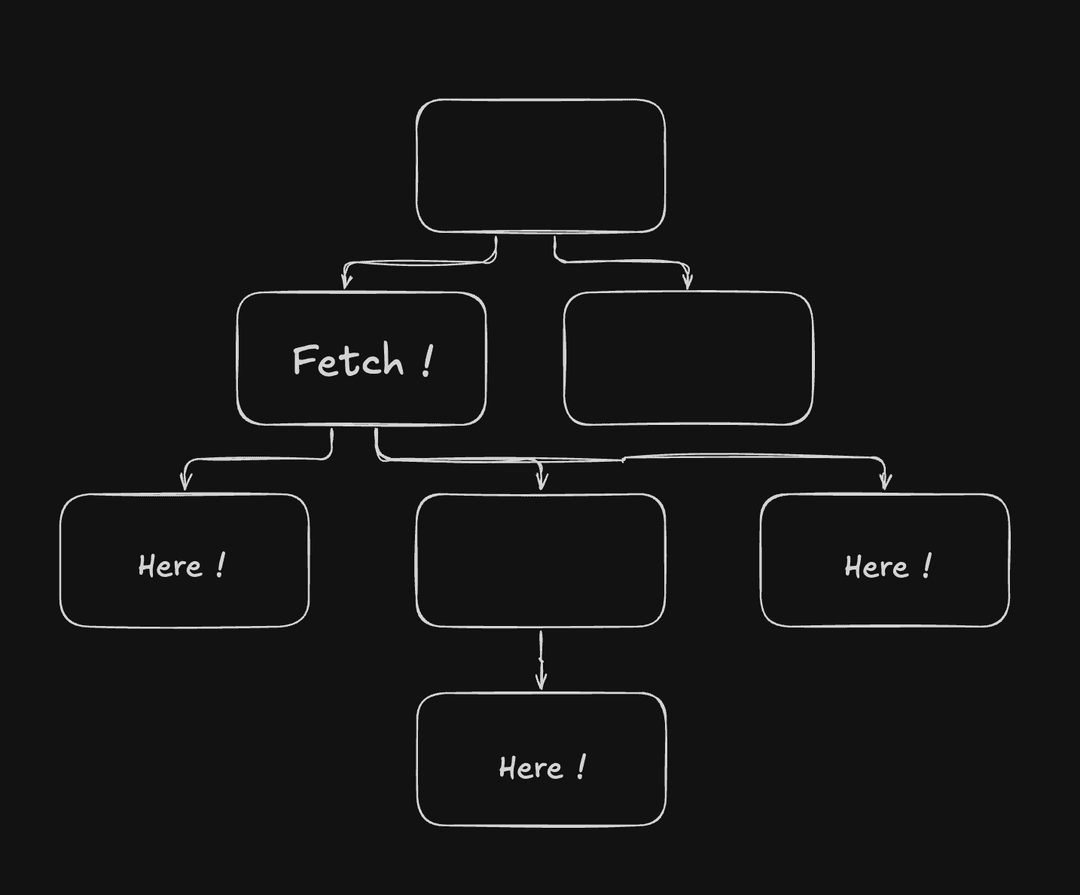
const CommonParent = () => {
  const [{ products }, setFetchInfo] = React.useState({
    products: []
  });

  React.useEffect(() => {
    (async () => {
      http.get('https://cornerstone.com').then((data) => {
        setFetchInfo((prev) => ({ ...prev, products: data.products }));
      });
    })();
  }, []);

  return (
    <>
      <Children1 products={products} />
      <Children2 products={products} />
      <Children3 products={products} />
    </>
  );
};
로딩 인디케이터를 보여주는 곳에서 가져오기
로딩 인디케이터를 보여주고자 하는 곳에서 데이터를 가져오기도 한다.
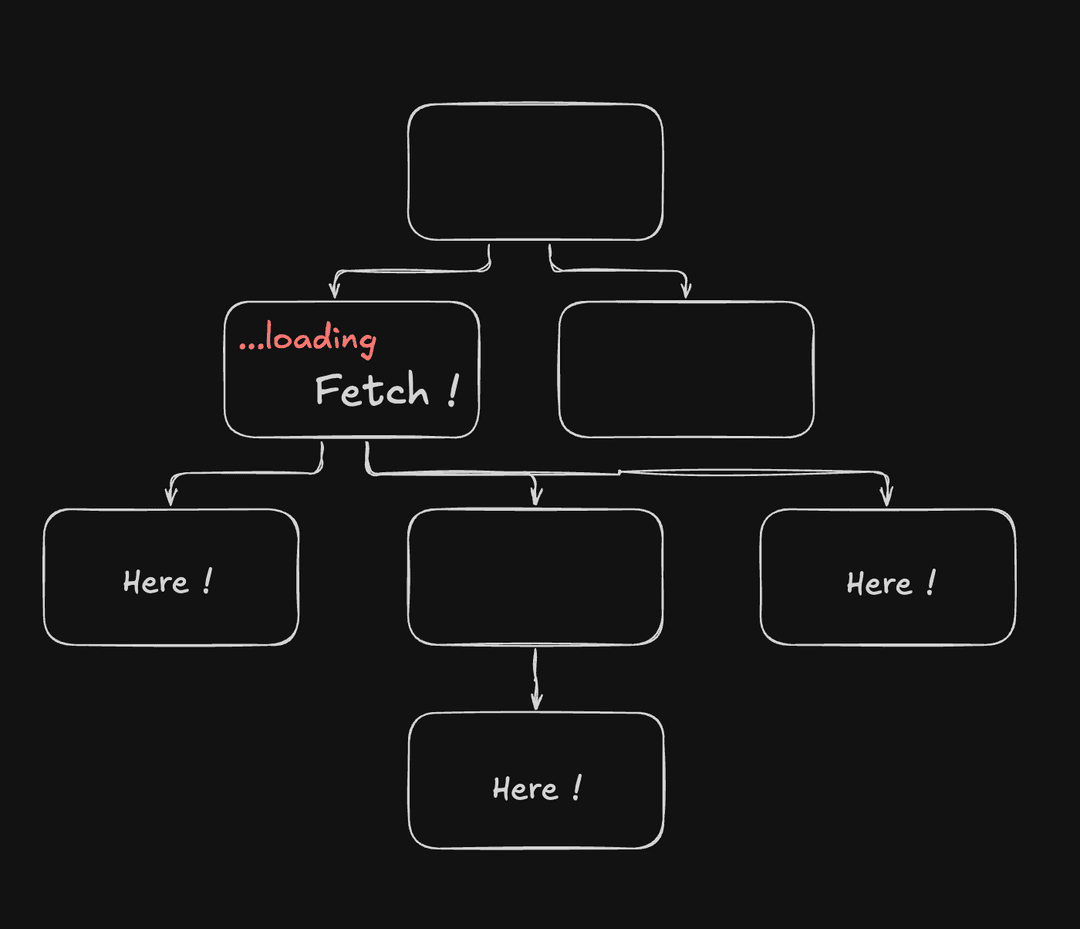
const CommonParent = () => {
  const [{ products, isLoading }, setFetchInfo] = React.useState({
    products: [],
    isLoading: false
  });

  React.useEffect(() => {
    (async () => {
      setFetchInfo((prev) => ({ ...prev, isLoading: true }));
      http
        .get('https://cornerstone.com')
        .then((data) => {
          setFetchInfo((prev) => ({ ...prev, products: data.products }));
        })
        .finally(() => {
          setFetchInfo((prev) => ({ ...prev, isLoading: false }));
        });
    })();
  }, []);

  return (
    <>
      {isLoading ? (
        <LoadingIndicator />
      ) : (
        <>
          <Children1 products={products} />
          <Children2 products={products} />
          <Children3 products={products} />
        </>
      )}
    </>
  );
};
만약, 가장 상위 레벨에서 로딩 인디케이터를 보여줘야 한다면 끌어 올려야 할 수도 있다.
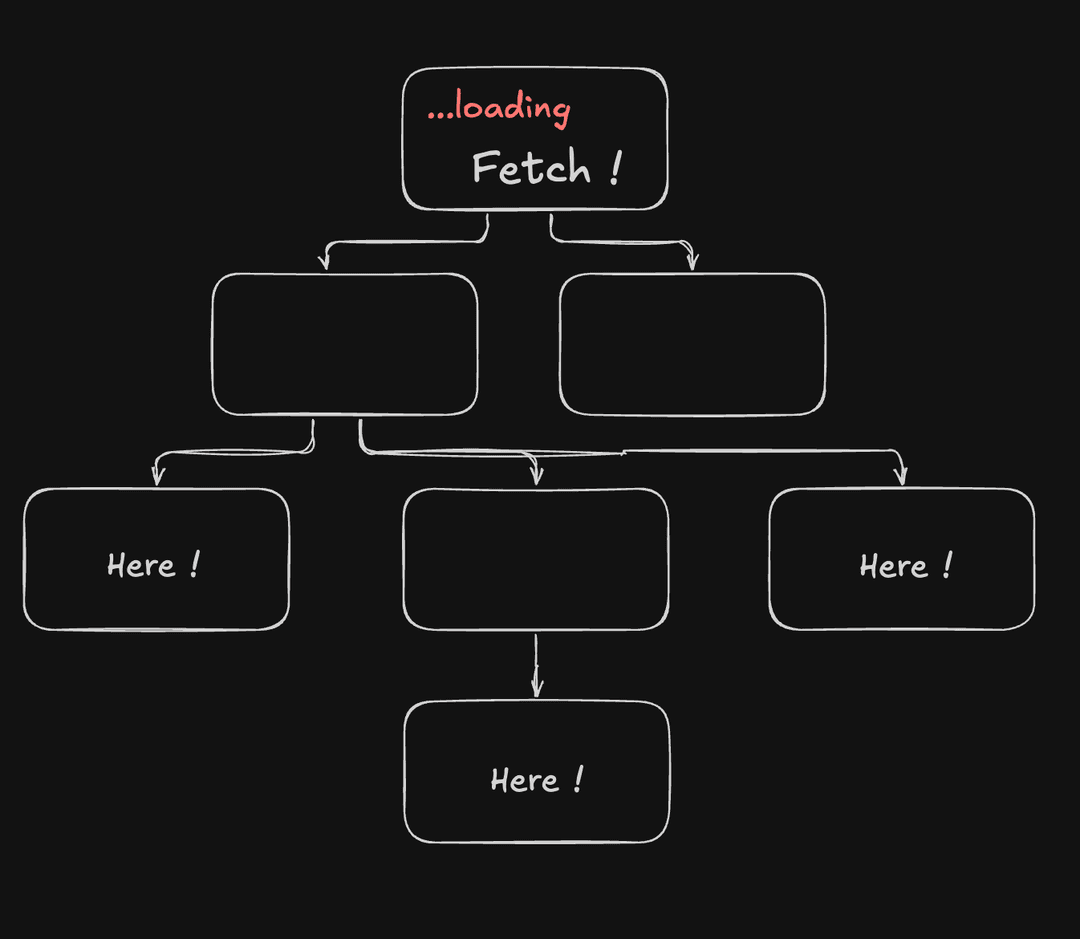
const TopLevelCompoenent = () => {
  const [{ products, isLoading }, setFetchInfo] = React.useState({
    products: [],
    isLoading: false
  });

  React.useEffect(() => {
    (async () => {
      setFetchInfo((prev) => ({ ...prev, isLoading: true }));
      http
        .get('https://cornerstone.com')
        .then((data) => {
          setFetchInfo((prev) => ({ ...prev, products: data.products }));
        })
        .finally(() => {
          setFetchInfo((prev) => ({ ...prev, isLoading: false }));
        });
    })();
  }, []);

  return (
    <>
      {isLoading ? (
        <LoadingIndicator />
      ) : (
        <>
          <CommonParent products={products} />
          <Other />
        </>
      )}
    </>
  );
};
또는, 각 컴포넌트에서 로딩 인디케이터를 보여준다면 props로 넘기는 방법도 있겠다.
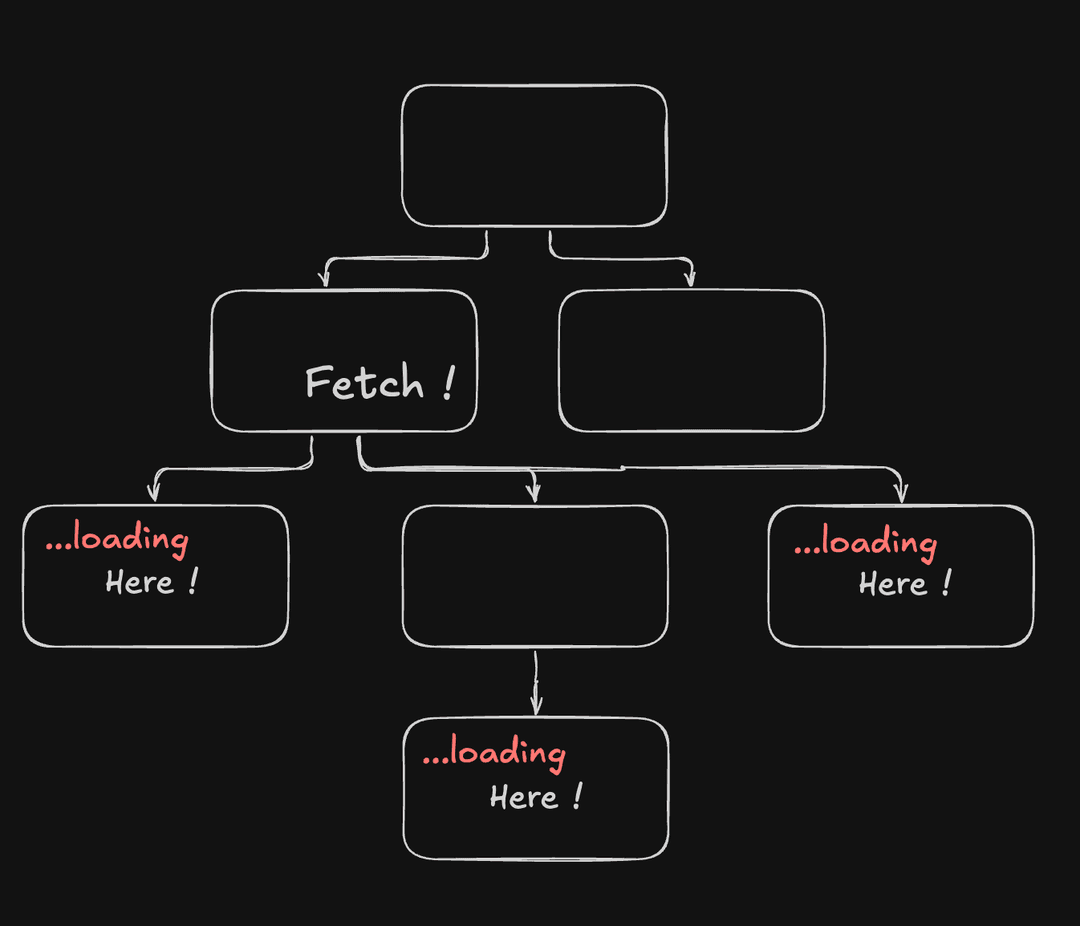
const CommonParent = () => {
  const [{ products, isLoading }, setFetchInfo] = React.useState({
    products: [],
    isLoading: false
  });

  React.useEffect(() => {
    (async () => {
      setFetchInfo((prev) => ({ ...prev, isLoading: true }));
      http
        .get('https://cornerstone.com')
        .then((data) => {
          setFetchInfo((prev) => ({ ...prev, products: data.products }));
        })
        .finally(() => {
          setFetchInfo((prev) => ({ ...prev, isLoading: false }));
        });
    })();
  }, []);

  return (
    <>
      <Children1 products={products} isProductsLoading={isLoading} />
      <Children2 products={products} isProductsLoading={isLoading} />
      <Children3 products={products} isProductsLoading={isLoading} />
    </>
  );
};
에러 메세지를 보여주는 곳에서 가져오기
이 전략도 "로딩 인디케이터를 보여주는 곳에서 가져오기"와 동일하다. 에러 메세지를 어디서 어떻게 표현할 것인지 고려해야 한다. 에러 속성을 추가하고 프라미스 반환에 대한 예외를 처리한다.
const CommonParent = () => {
  const [{ products, isLoading, error }, setFetchInfo] = React.useState({
    products: [],
    isLoading: false,
    error: null
  });

  React.useEffect(() => {
    (async () => {
      setFetchInfo((prev) => ({ ...prev, isLoading: true }));
      http
        .get('https://cornerstone.com')
        .then((data) => {
          setFetchInfo((prev) => ({ ...prev, products: data.products }));
        })
        .catch((error) => {
          setFetchInfo((prev) => ({ ...prev, error }));
        })
        .finally(() => {
          setFetchInfo((prev) => ({ ...prev, isLoading: false }));
        });
    })();
  }, []);

  // ...생략
};